Help - LiveTV Channel Viewer
This screen allows you to browse the MythTV channel list and select one to play. You can sort the list by Channel Number or Name and filter by Category and/or Video Source. You can also show a mini preview of the selected channel.
NOTE: this screen gets the channel and program information from the MythTV backend using the Services API.
Keys used on this screen
 RED (F1) Change the Sort order by Channel Number or Name
 GREEN (F2) Filter the list to show channels from a particular category like News or Movies.
 YELLOW (F3) Filter the list to show channels from a particular Video Source.
 BLUE (F4) Toggle the preview video on/off.
FAQ
None
Known Problems
Channel sorting has stopped working
TODO
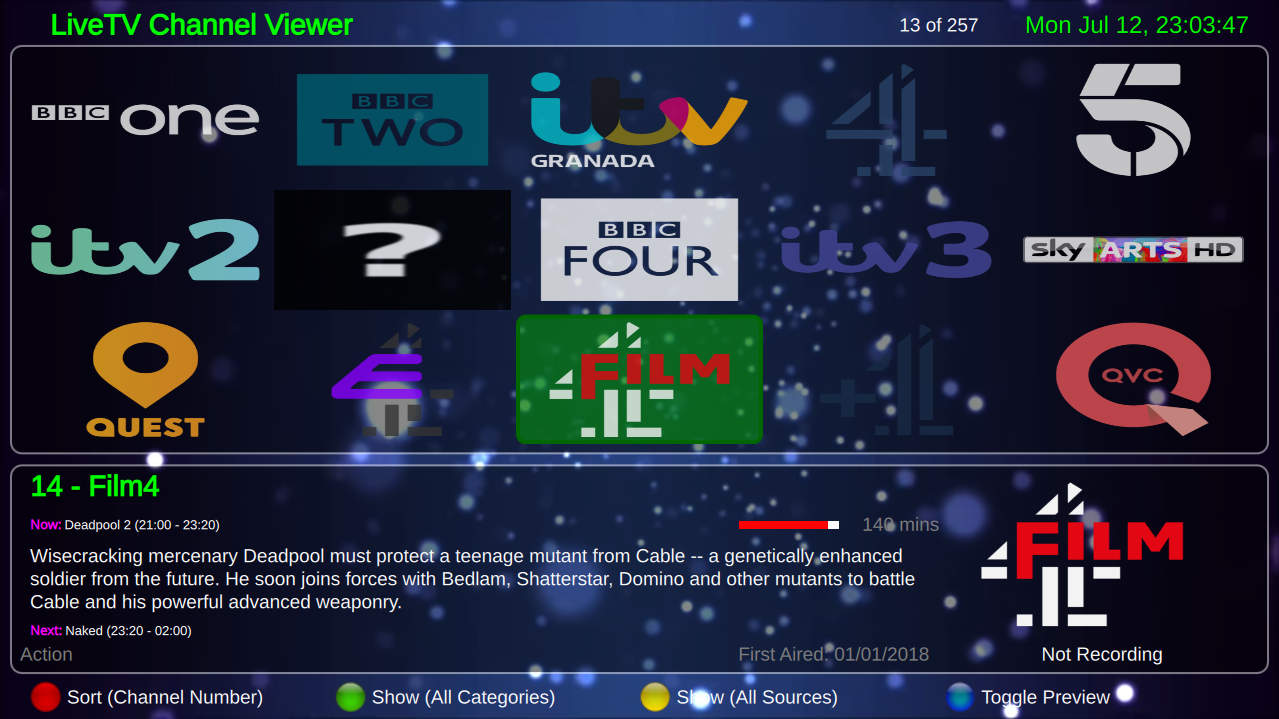 A screenshot of LiveTV Channel Viewer.